Modes
Mode settings control what content plays on the jackpot history display. Select as many as you like, they'll play automatically in sequence as a playlist.
Step 1: Open the Settings Tab
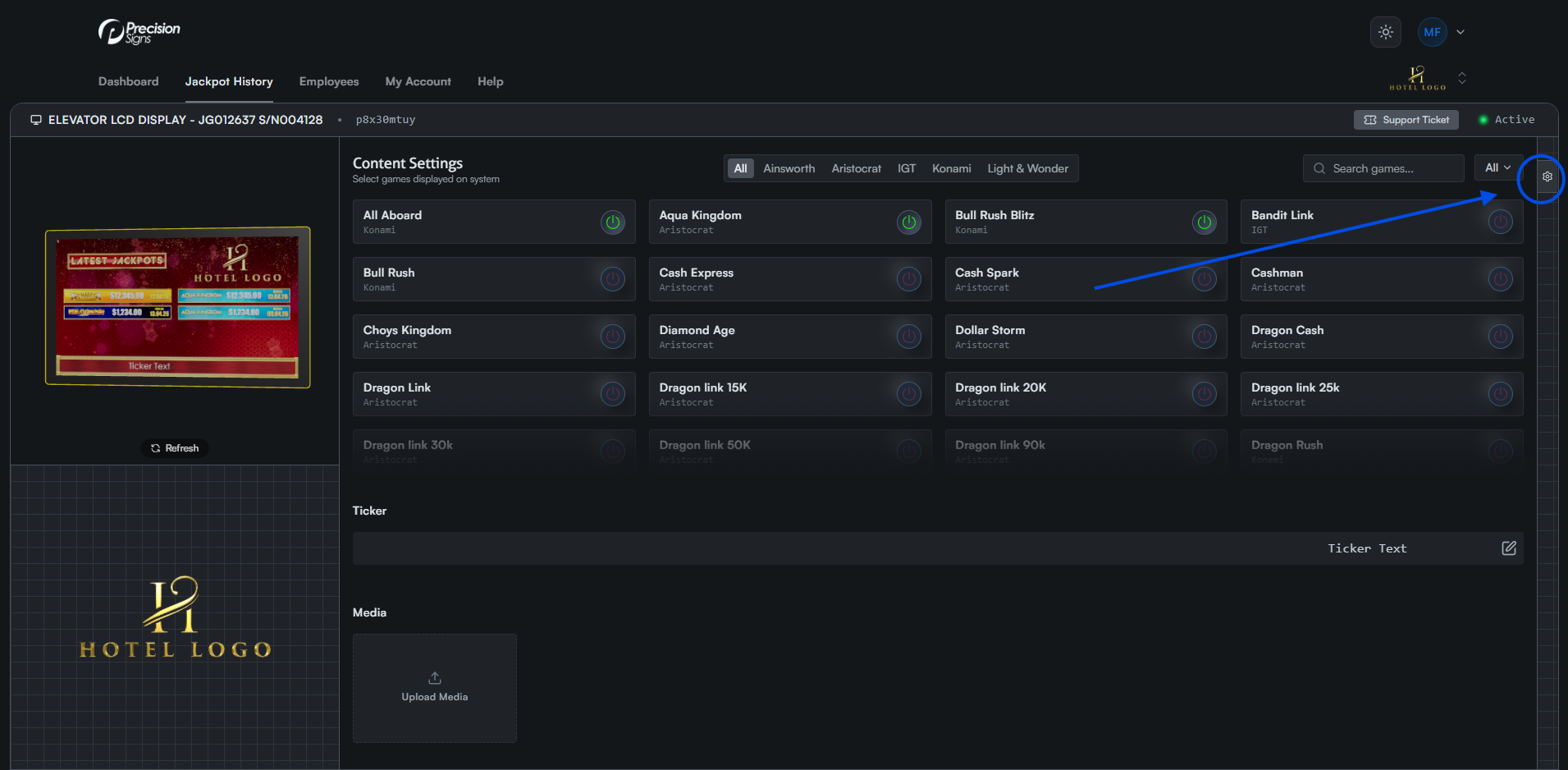
Click the gear icon on the right side of the screen to open the settings tab. On mobile, this appears as a floating icon at the bottom left.
Step 2: Open the Modes Tab
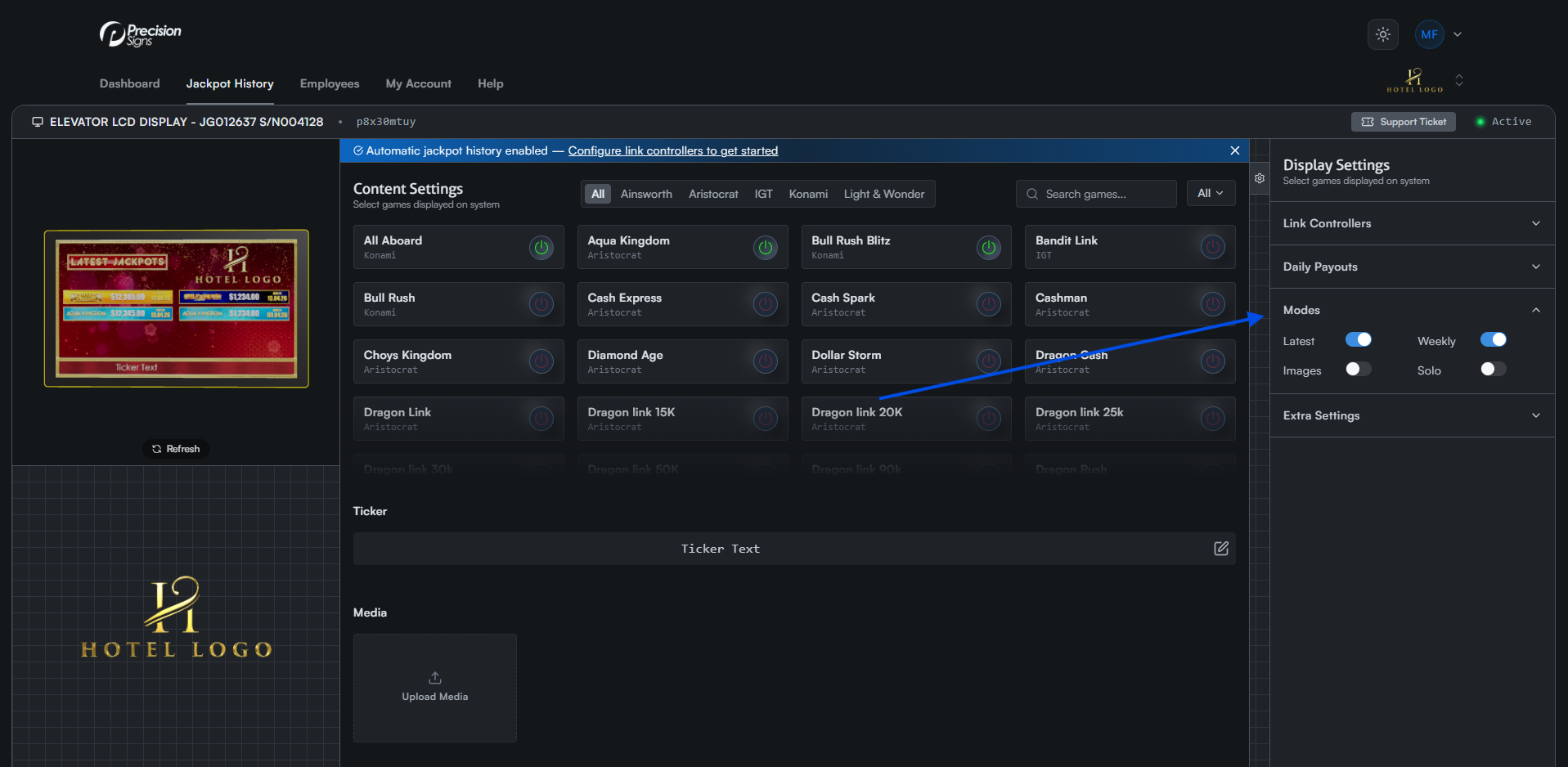
Click the Modes tab to expand a list of mode toggles.
Step 3: Select Your Desired Modes
Toggle each mode on or off to add or remove it from the playlist.
Latest
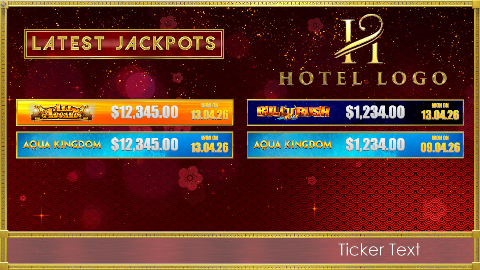
Displays the top 8 jackpot wins.
Solo
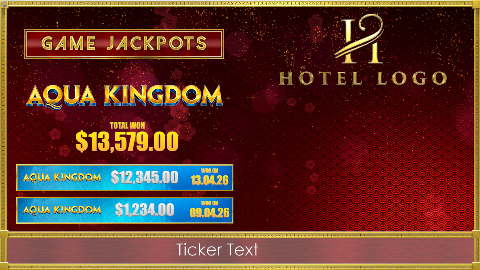
Cycles through wins for each jackpot individually.
Weekly
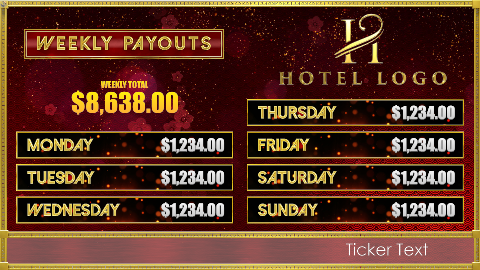
Displays the daily payout figures.
Images

Displays uploaded images from the media library.