Jackpot Entries
Games List
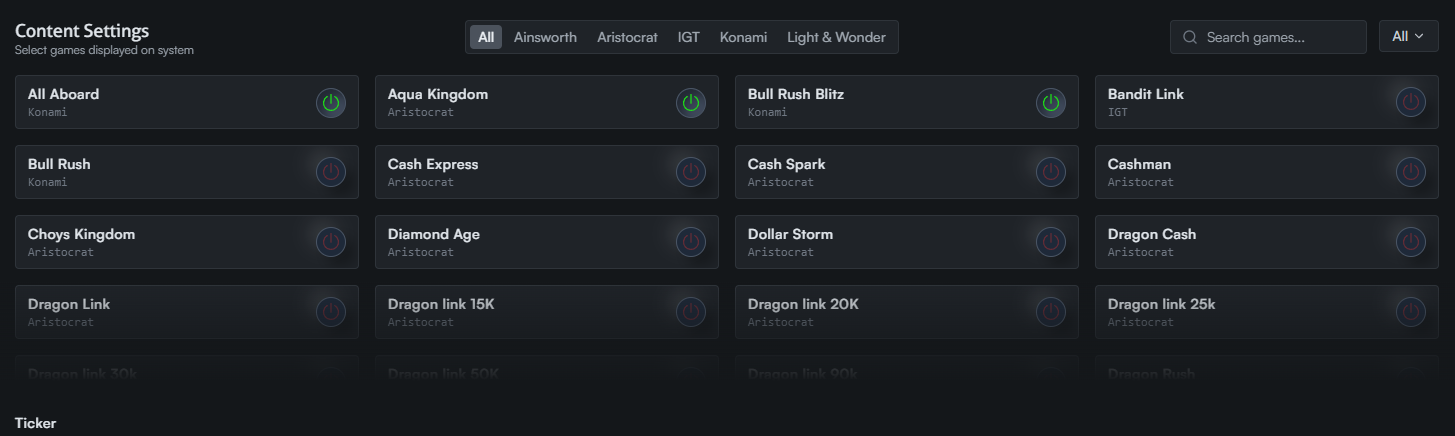
The center of the screen displays all available games for your display. Sort by studio or use the search bar to find a specific game.

Toggle the power button next to any game to add or remove it from the playlist.
Managing Entries
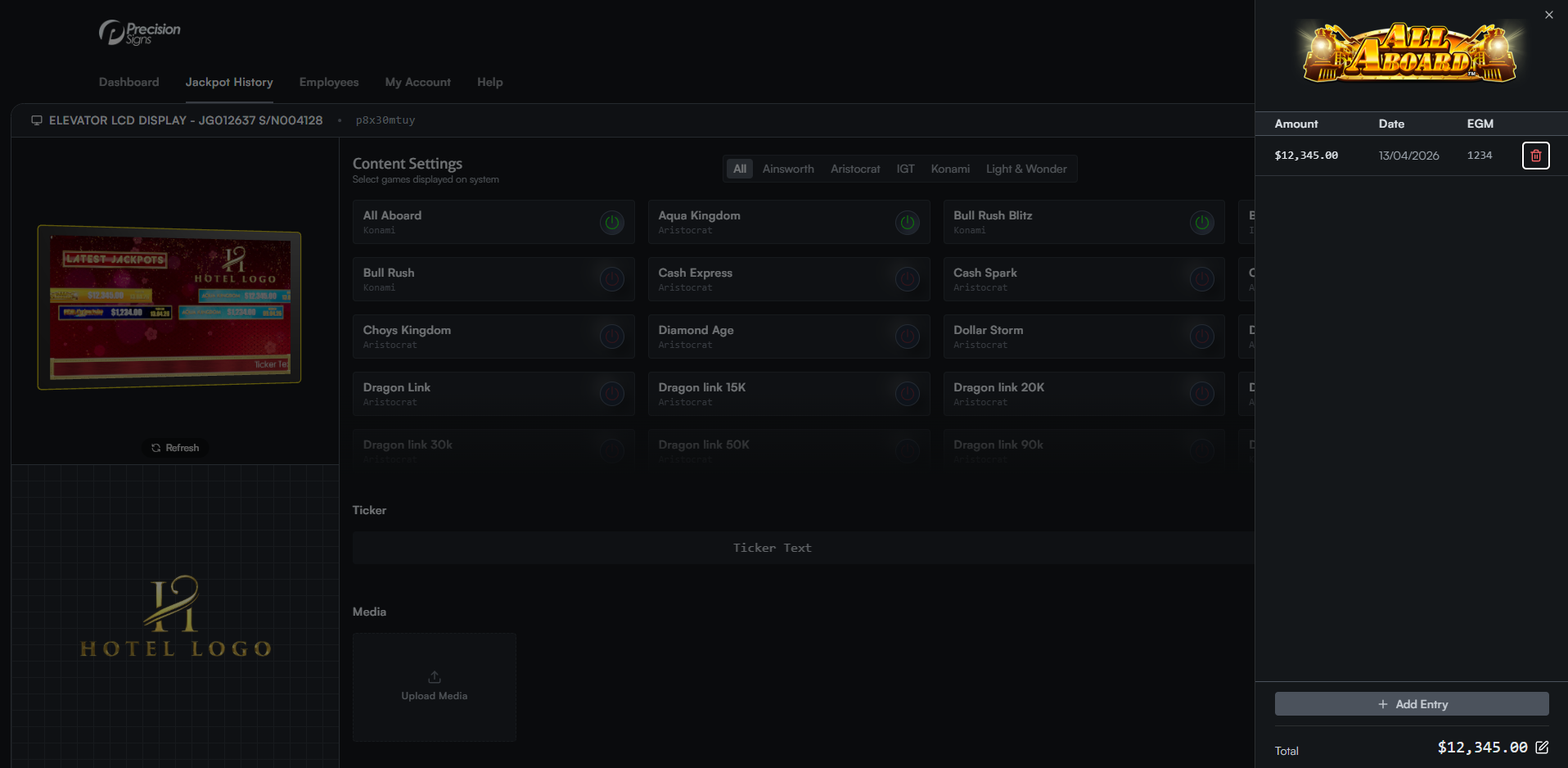
Click a game to view its jackpot entries. A panel will slide out showing all saved entries for that game.
Adding Entries
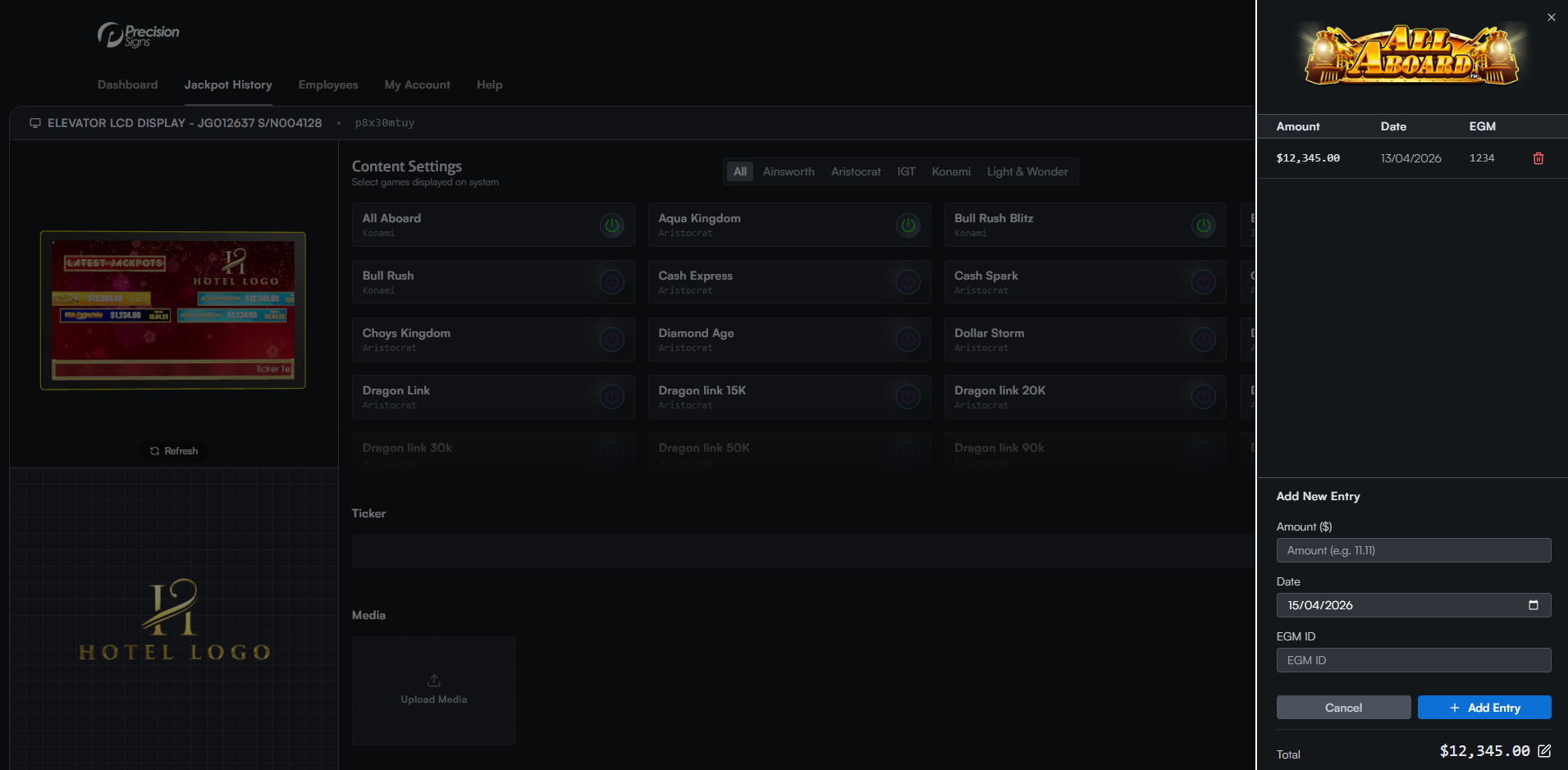
Click Add Entry at the bottom of the panel. Fill in the amount ($), jackpot date, and EGM ID, then click the blue Add Entry button to save.
Deleting Entries
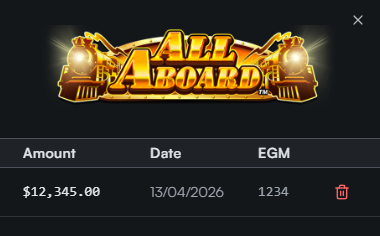
Click the red trash icon on the right side of any entry to delete it.
Editing the Total
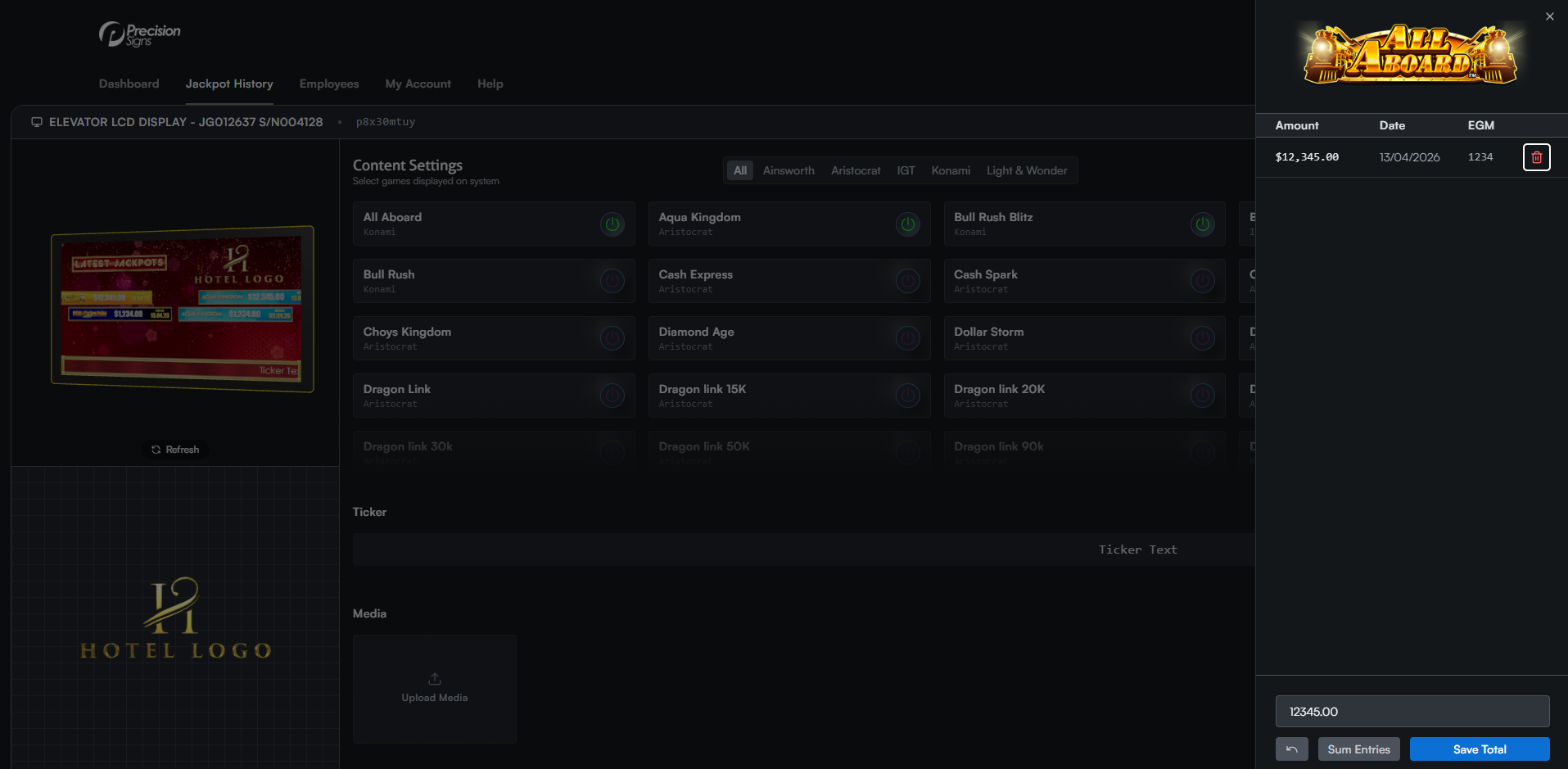
The total amount updates automatically when entries are added or removed. To override this value manually, click the total, enter the new amount, and click Save Total.