Extra Settings
The Extra Settings tab controls EGM IDs, the golden border, ticker display, and the hold time between modes.
Step 1: Open the Settings Tab
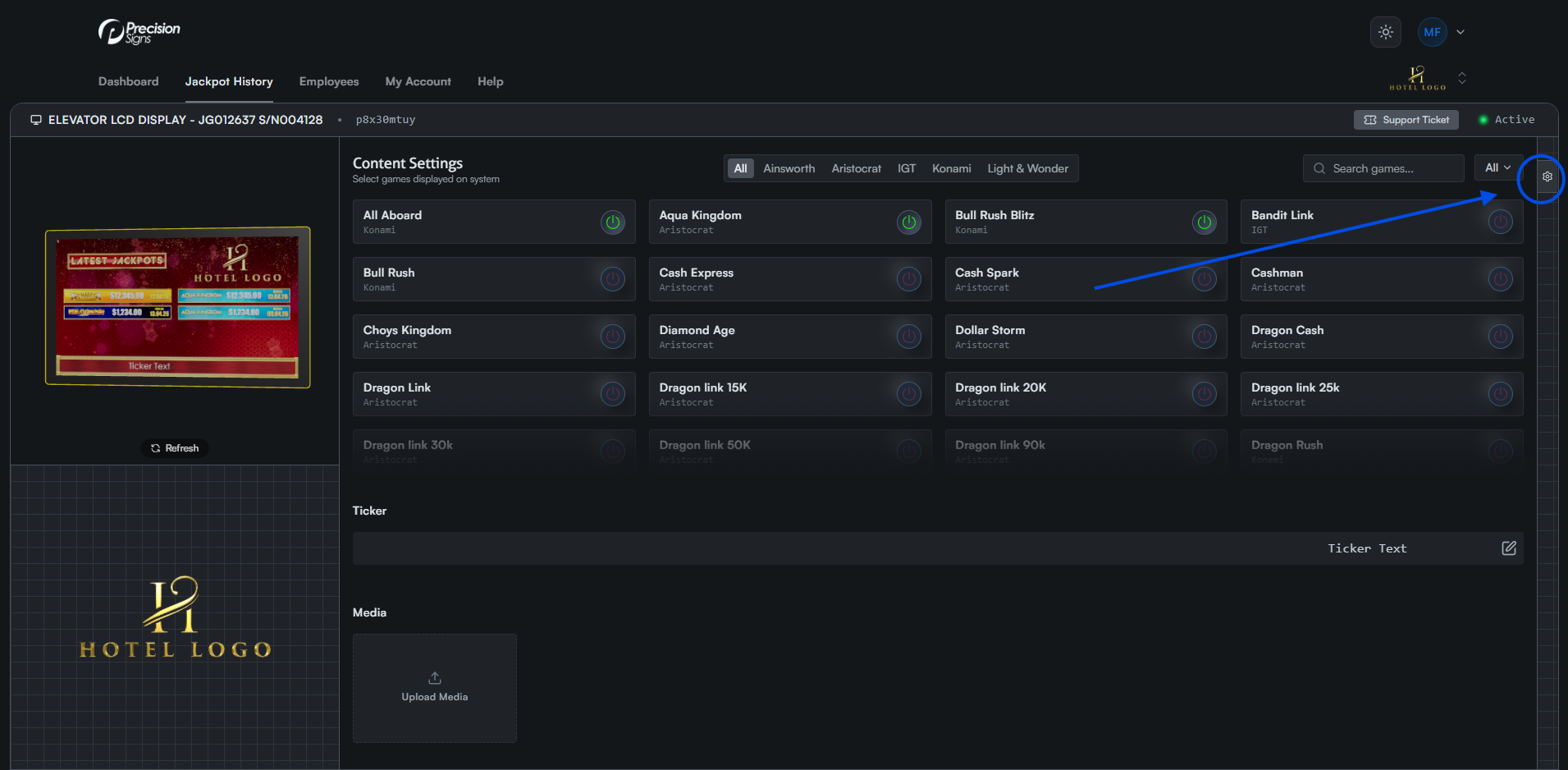
Click the gear icon on the right side of the screen to open the settings tab. On mobile, this appears as a floating icon at the bottom left.
Step 2: Open the Extra Settings Tab
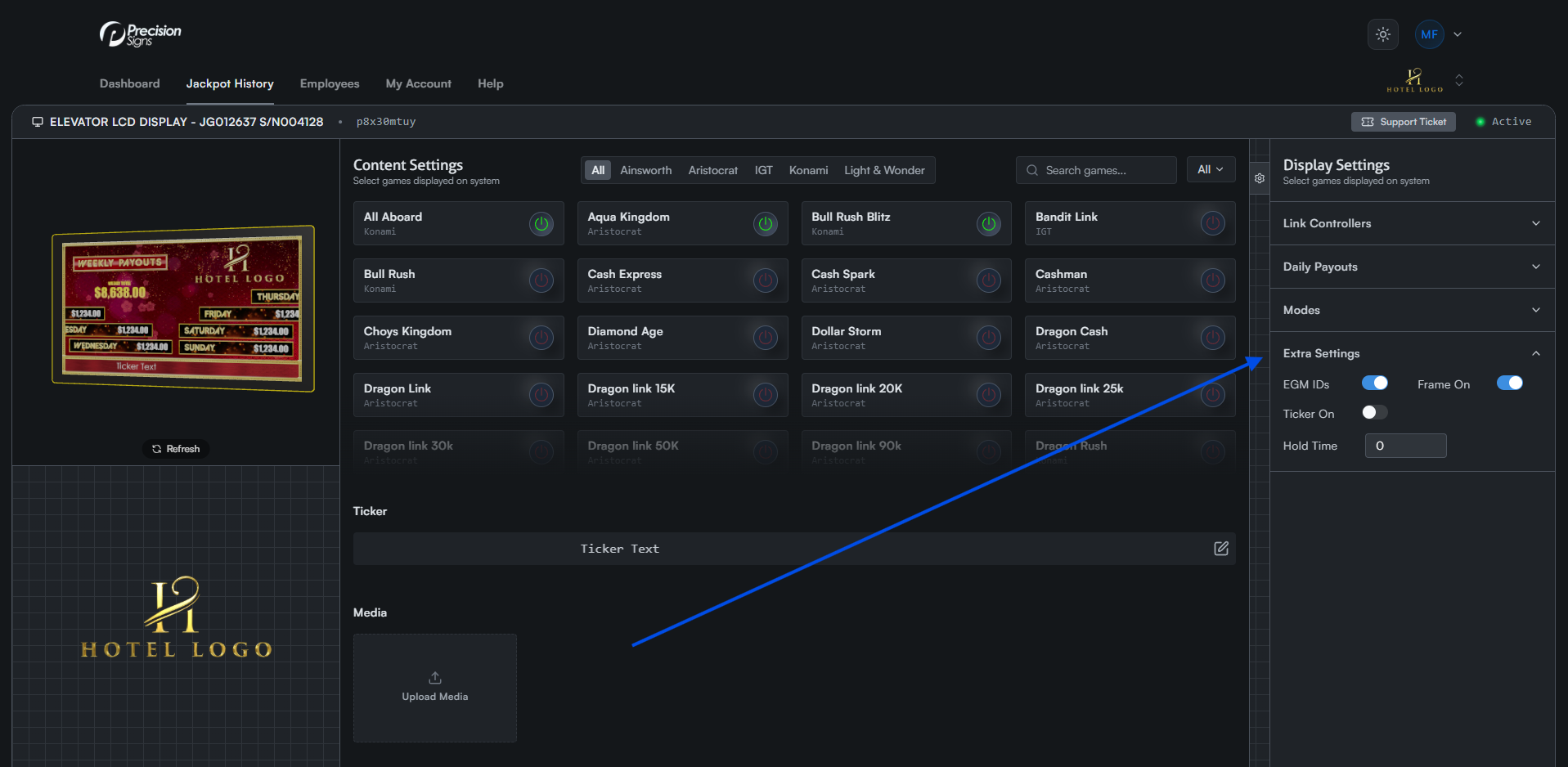
Click the Extra Settings tab to expand the list.
Step 3: Adjust Desired Settings
EGM IDs

Show or hide machine numbers on jackpot tiles.
Frame On

Turn the gold frame on or off.
Ticker On

Turn the ticker on or off.
Hold Time
Set how long each mode displays (img/in seconds).