Getting Started with Pulse
Step 1: Request Access
Contact the Precision Signs team to request access. If your venue already has a manager set up, they can grant you access directly.
Step 2: Check Your Email
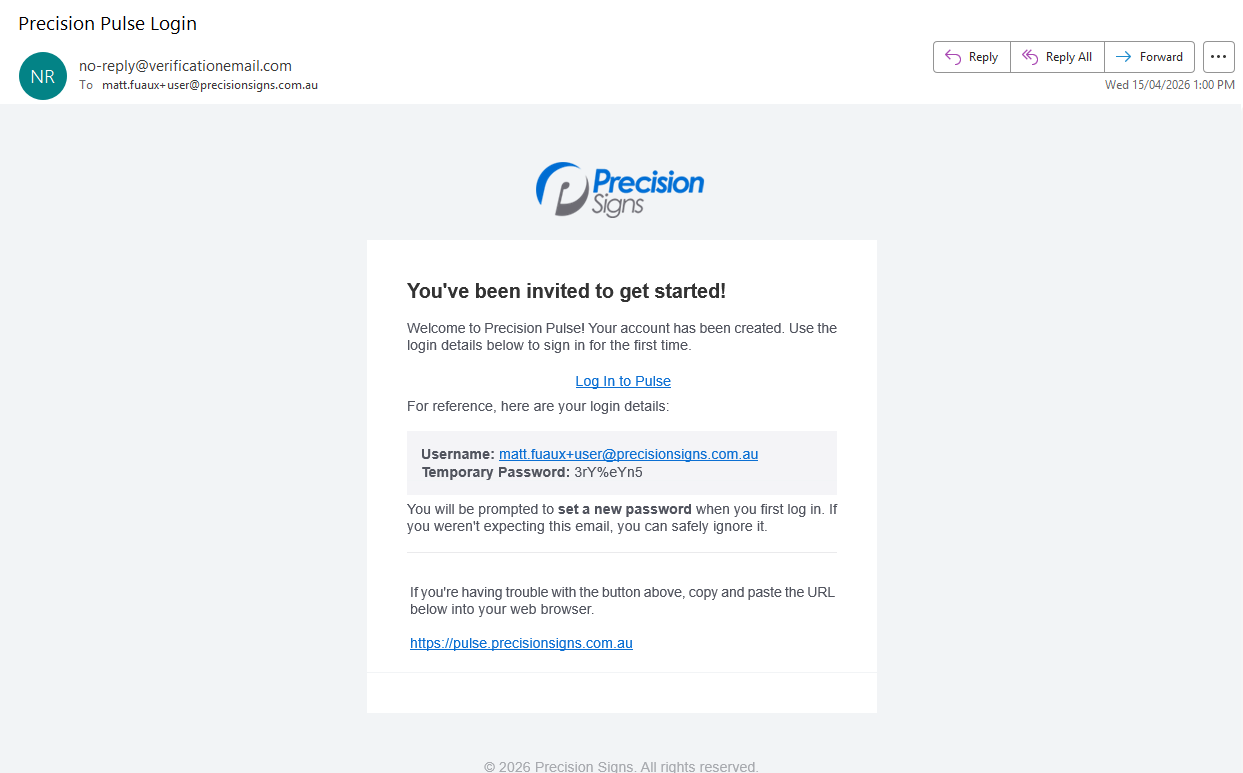
Once your account is created, you'll receive an invitation email with the subject line Precision Pulse Login. This email contains your username and a temporary password.
Tip: Check your spam or junk folder if you don't see it within 5 minutes. Still nothing? Contact support.
Step 3: Log In
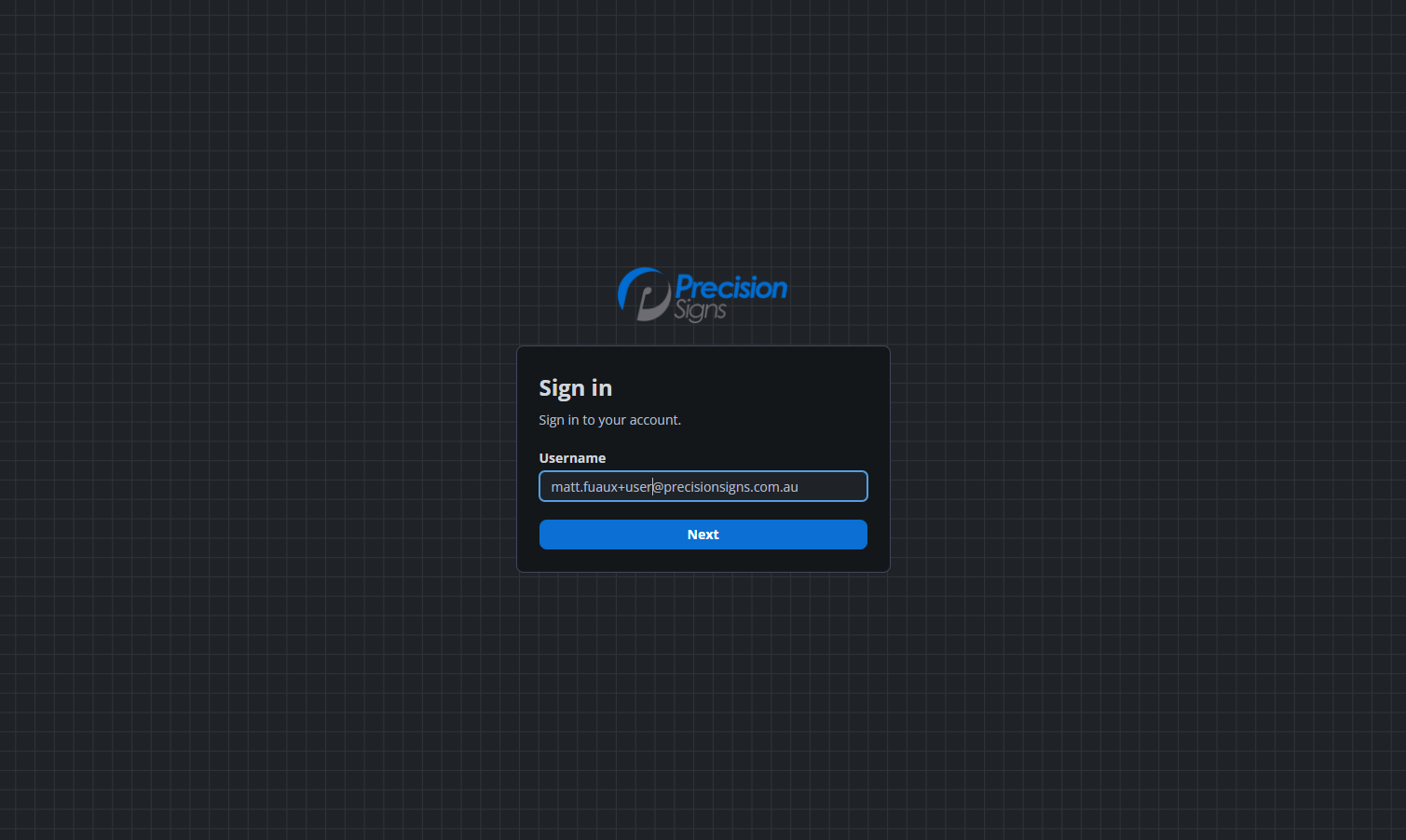
Go to pulse.precisionsigns.com.au and enter the username and temporary password from your invitation email.
Step 4: Set Your Password
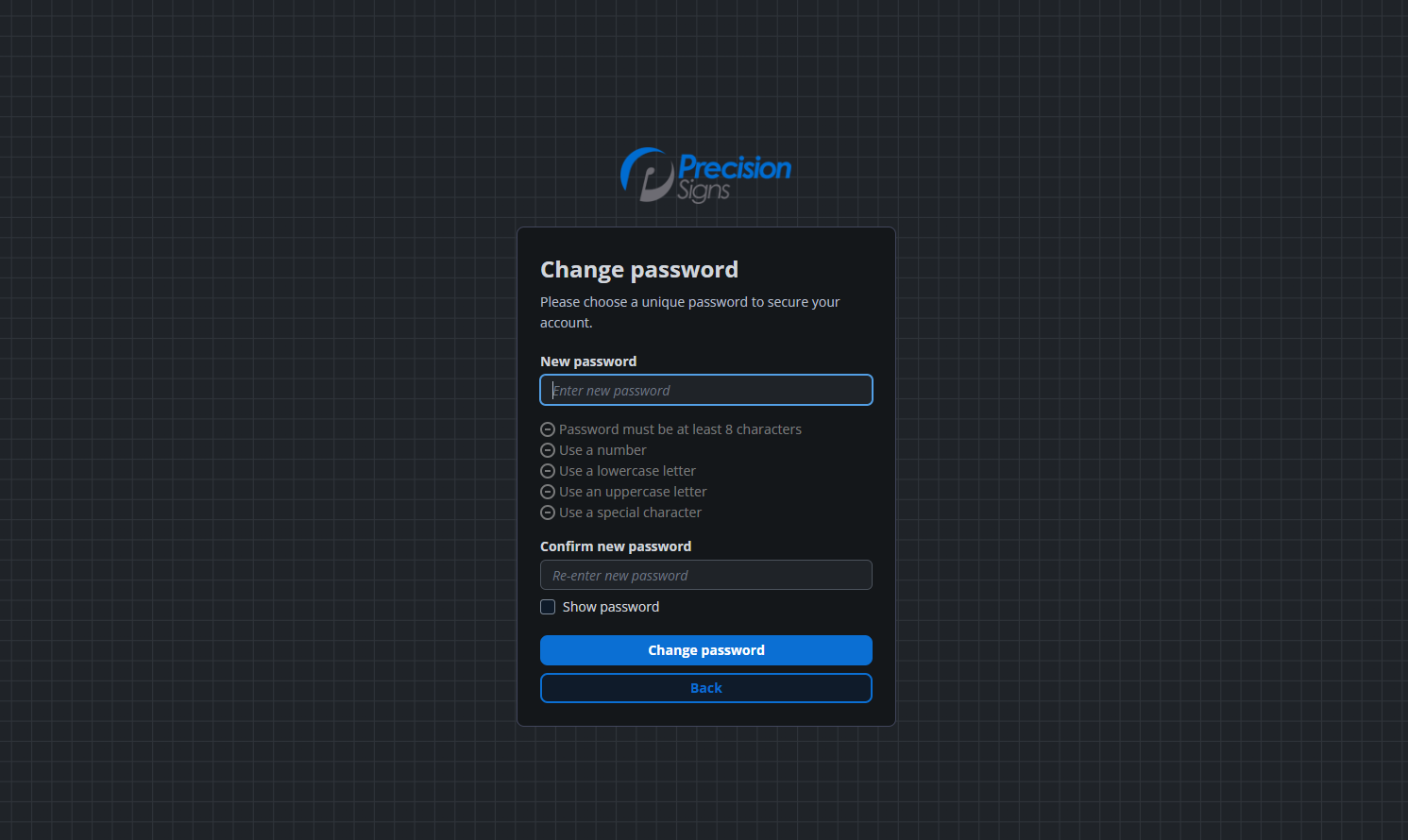
On your first login, you'll be prompted to create a permanent password. Use this new password for all future logins.