Adding Playlist Content
Playlist Content
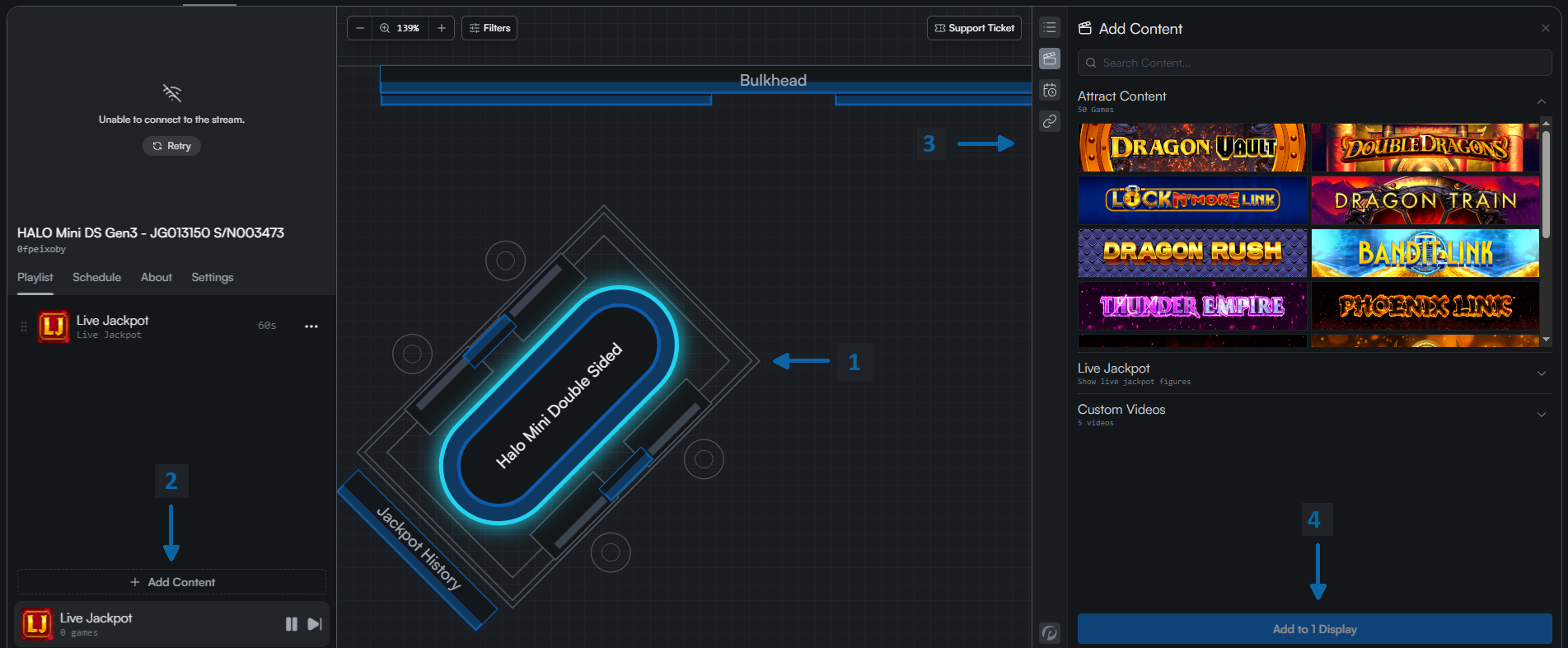
Adding content to a display involves these steps:
- Click the display/s which will have the content added to their playlist.
- In the Display Viewer, click the "Add Content" button.
- The Content Sidebar will open. Choose a content item.
- Press the "Add to Displays" button.
This will add your content item into the playlist for repeated showing.