Updating Employees
Note: This feature is only available to users assigned as Managers for a venue.
Step 1: Navigate to Employees
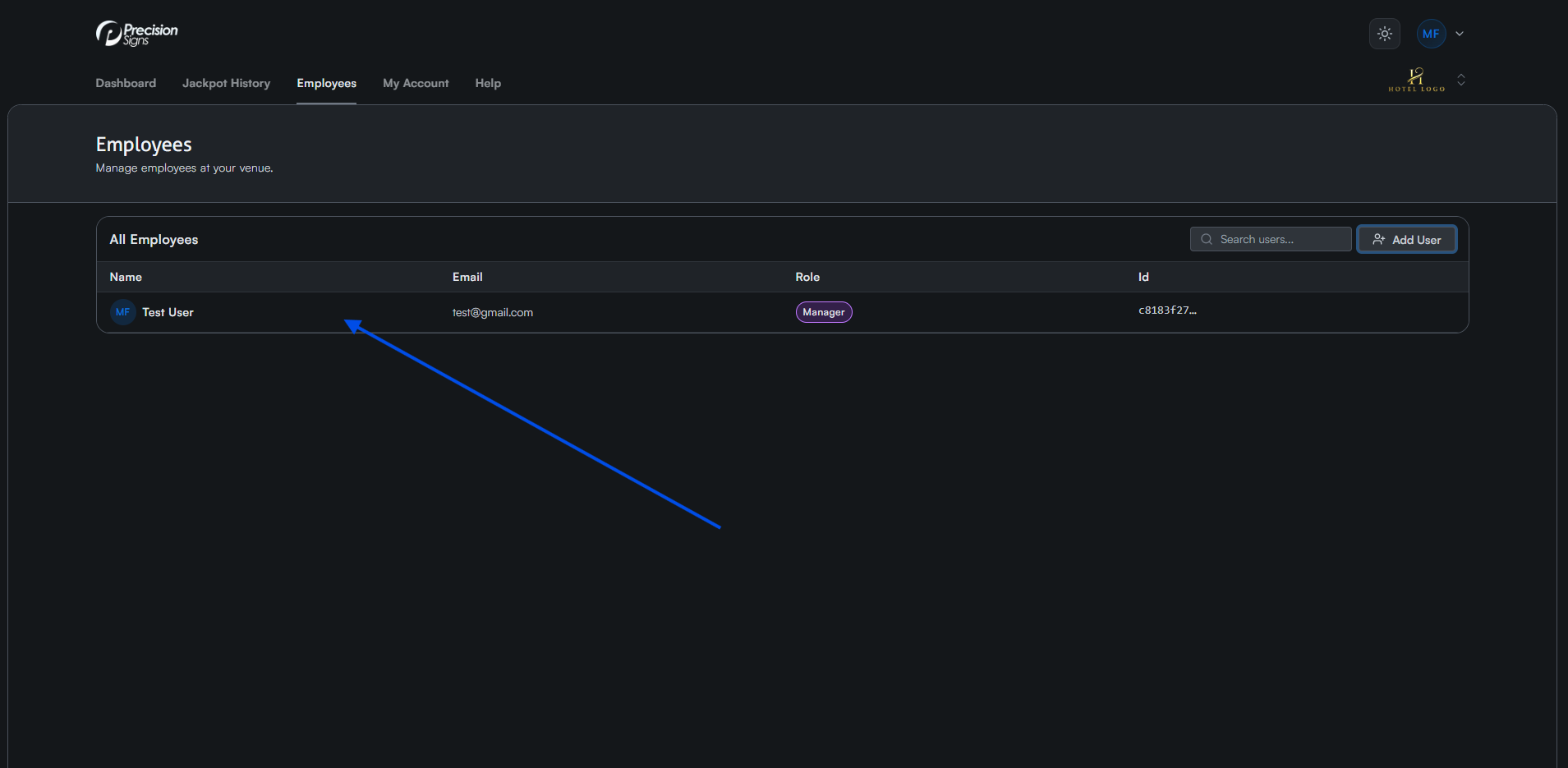
Navigate to the Employees tab and click the user you want to update.
Step 2: Update Details
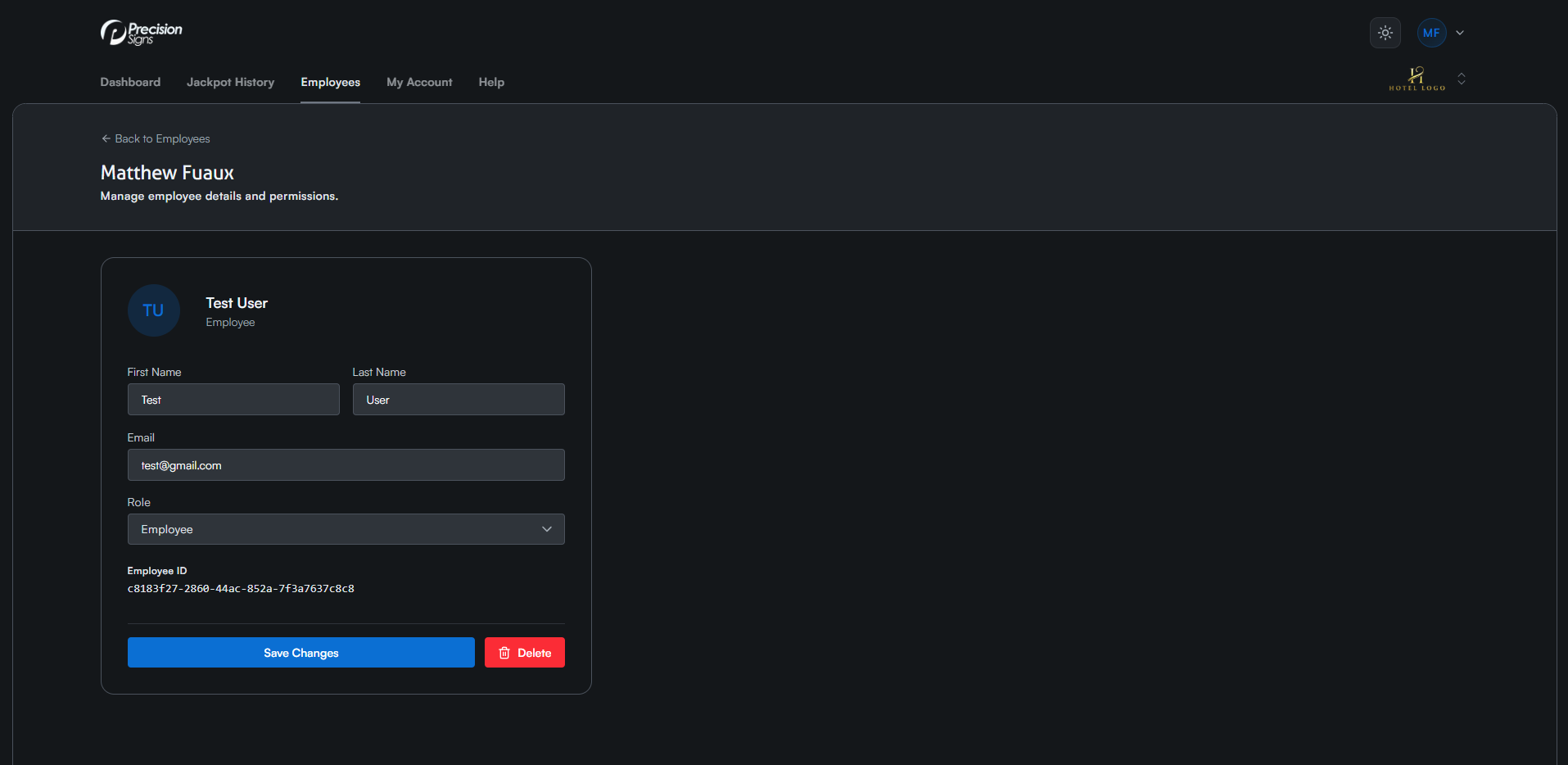
Update the user's first name, last name, email, or role, then click Save Changes.