Removing Employees
Note: This feature is only available to users assigned as Managers for a venue.
Step 1: Navigate to Employees
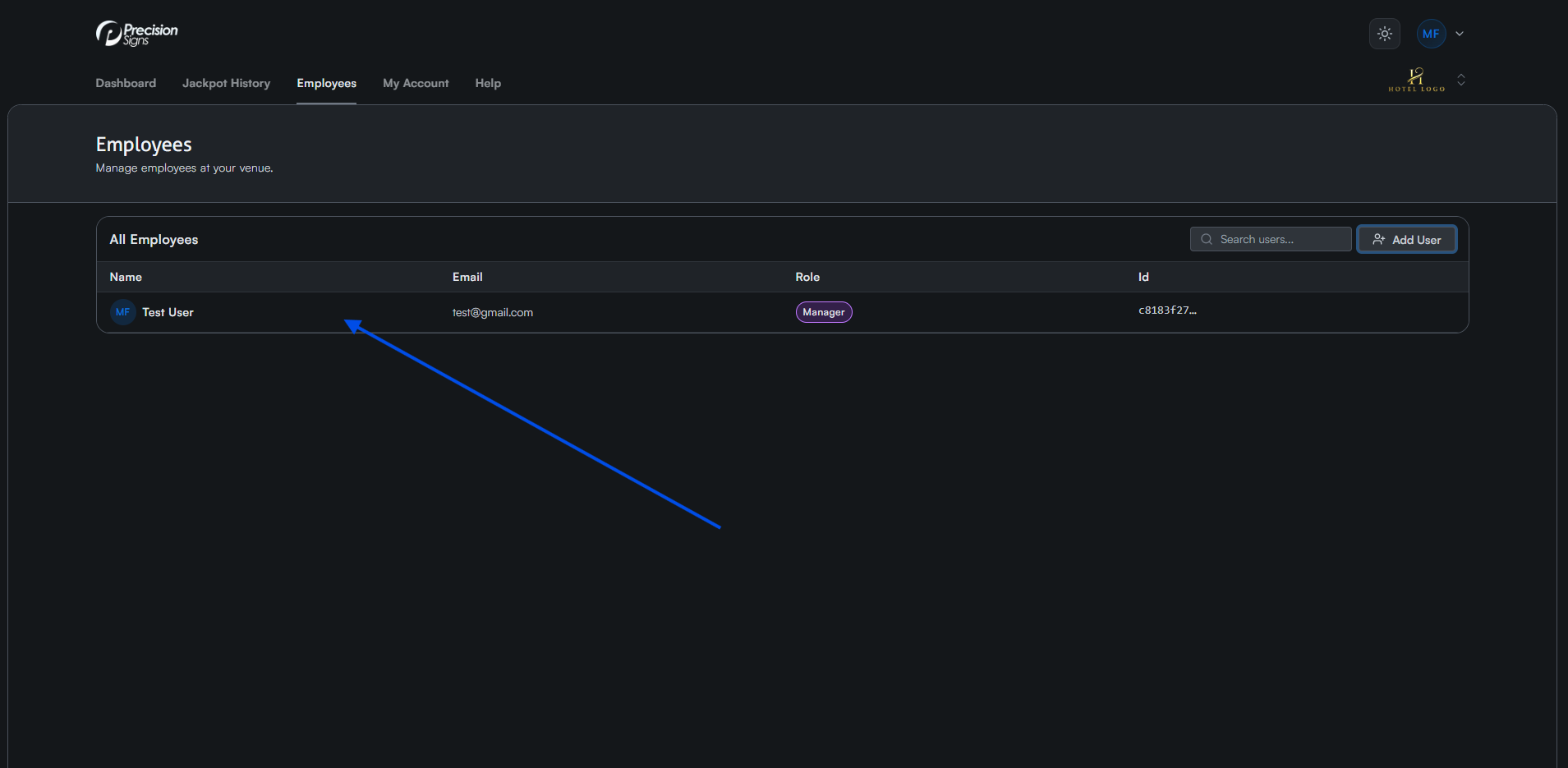
Navigate to the Employees tab and click the user you want to remove from your venue.
Step 2: Remove Employee
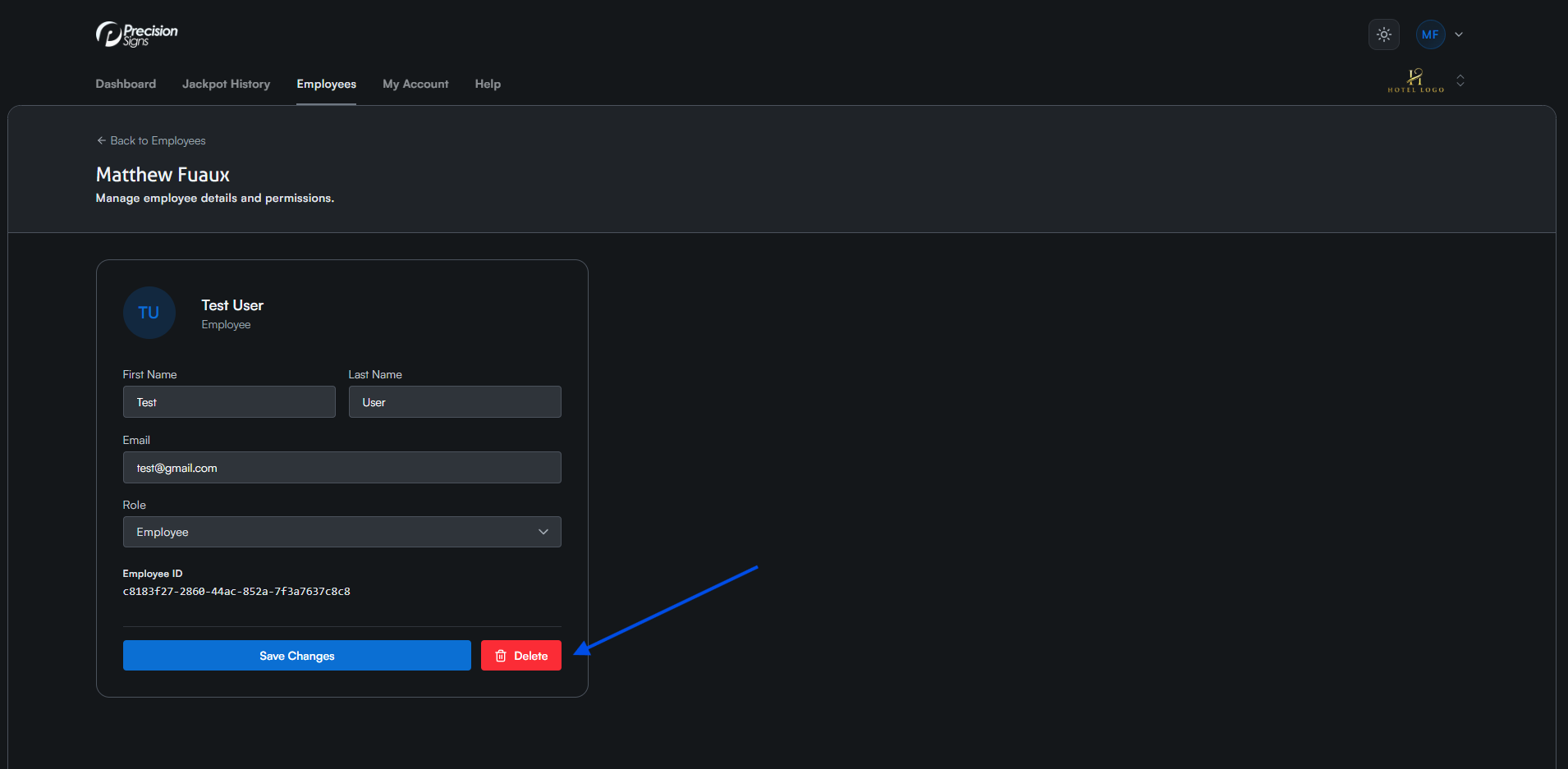
Click the red Delete button in the bottom right hand corner to remove their access from your venue.