Adding Employees
Note: This feature is only available to users assigned as Managers for a venue.
Step 1: Navigate to Employees
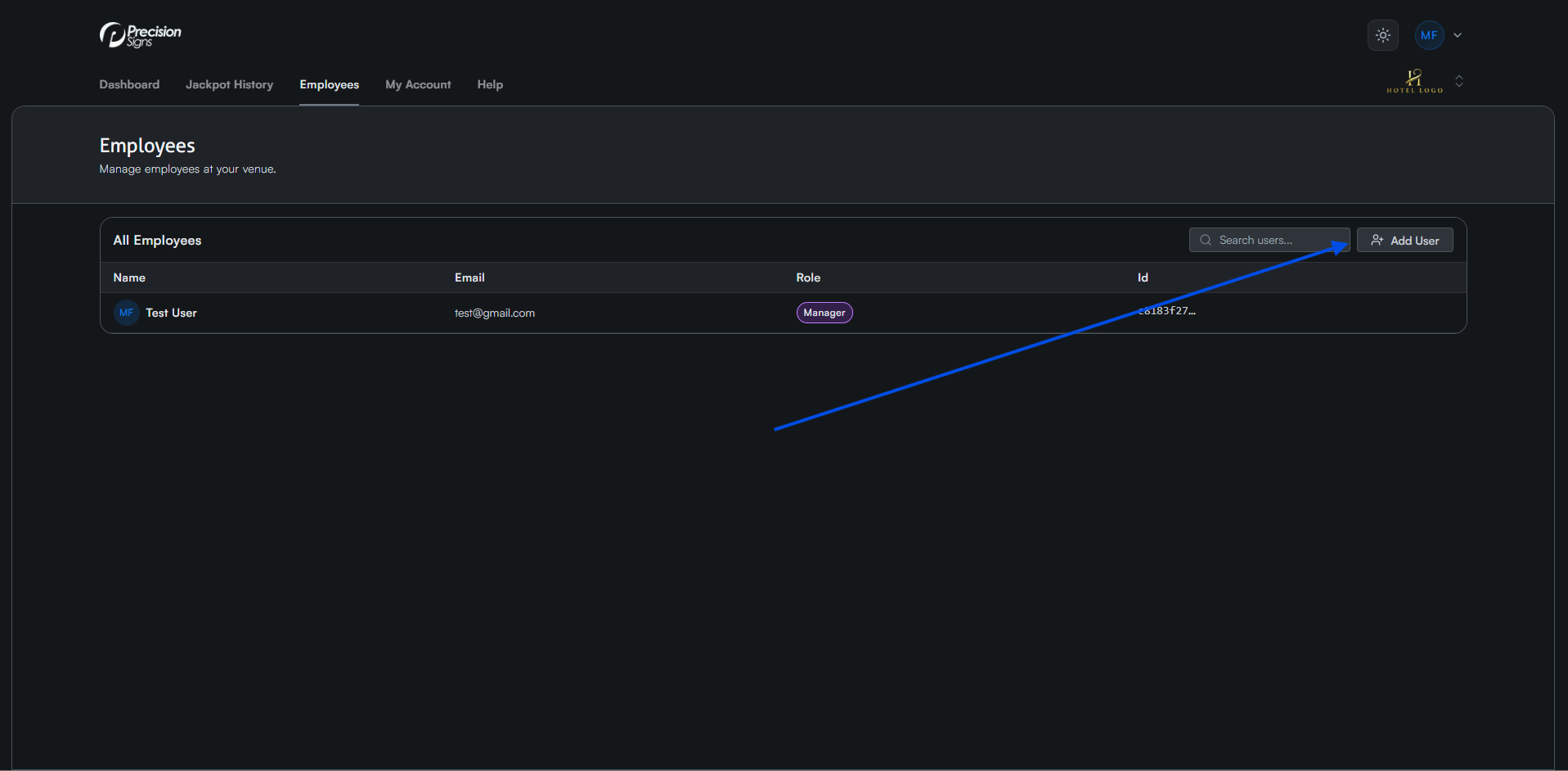
Navigate to the Employees tab and click Add User in the top right of the table. A form will open.
Step 2: Fill and Submit Form
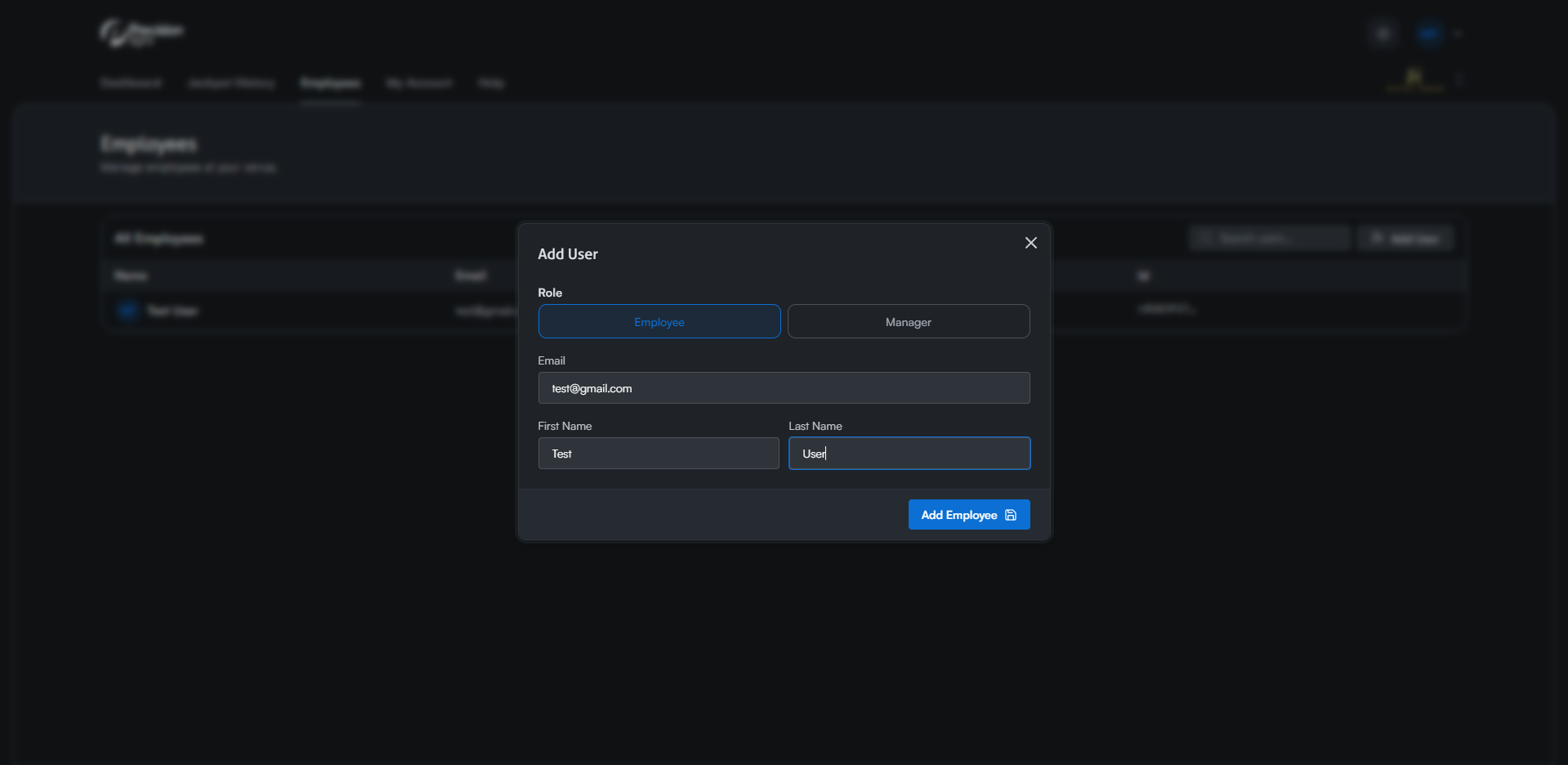
Select whether the user is an Employee or Manager. Make sure you understand the different roles outlined on the Access Levels page.
Enter the user's email, first name, and last name, then click Add Employee/Manager at the bottom left.
Step 3: Access Email
The user will receive an invitation email with instructions on logging into their account.